
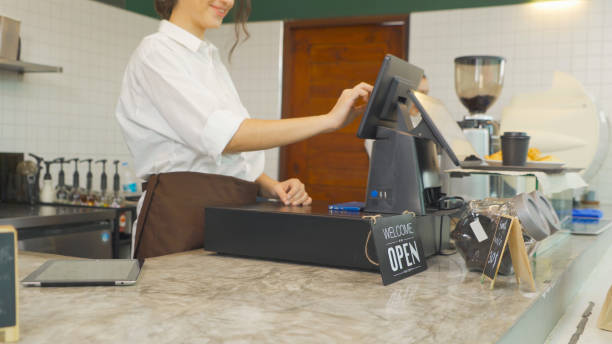
Have you ever asked what helps a restaurant grow smoothly from one busy location to several well-run stores without losing speed, quality, or consistency?
As a restaurant grows, daily tasks need to be clear and easy to manage. Orders need to move quickly, staff need simple tools, and owners need accurate information at the right time.
That is why the right set of features matters so much. Good restaurant technology supports service, keeps teams aligned, and makes expansion feel organized instead of stressful.
Features That Support Smooth Restaurant Growth
Scaling a restaurant is often about doing the basics well at every location. Clear workflows, fast communication, and reliable tools help teams stay focused on service and food quality.
The features below support that kind of growth and help restaurants keep operations steady as they add more customers, more staff, and more locations.
1. Cloud Access For Real-Time Visibility
A cloud based pos helps teams check sales, update menus, and review performance from one central place. This makes it easier to stay connected across locations and keep decisions consistent. Managers can view live information, which helps them respond quickly and keep service moving.
2. Easy Order Entry
Fast and clear order entry helps staff serve guests with confidence. A simple screen layout, clean menu categories, and clear modifiers reduce confusion and keep the front counter or dining room moving at a comfortable pace.
3. Multi-Location Menu Management
As a restaurant grows, menu updates need to stay organized. Multi-location menu controls make it easier to adjust pricing, add seasonal dishes, and keep core items aligned.
4. Flexible Payment Options
Guests appreciate having payment choices that fit their routine. Card payments, digital wallets, contactless options, and split checks all help the service feel smooth and modern. Flexible payments also support faster checkout, which is useful during busy meal periods.
5. Strong Reporting Dashboards
Good reporting helps restaurant teams spot patterns and make smart decisions. Sales trends, menu performance, labor summaries, and peak-hour data give owners a clear view of how the business is growing. Easy-to-read dashboards also save time and help managers focus on actions that matter.
6. Inventory Tracking
Inventory tools help restaurants stay organized as they expand. Teams can monitor stock levels, track ingredient use, and plan purchasing with more confidence.
7. Staff Permission Controls
As teams grow, different roles need different levels of access. Permission settings help owners and managers assign tasks clearly while keeping important settings protected.
8. Kitchen Communication Tools
Fast communication between the front of house and kitchen supports accurate service. Many restaurants use kitchen display system hardware to keep tickets visible and organized.
9. Table And Floor Management
For full-service restaurants, table tools help teams seat guests in an organized way and keep service balanced across the floor. Hosts and servers can see table status clearly, which supports smoother handoffs and better pacing throughout the shift.
10. Online Ordering Integration
Online ordering supports growth by adding convenience for guests and giving restaurants another dependable sales channel. When online orders connect directly with the restaurant pos system, staff can manage dine-in, pickup, and delivery orders from one place, which keeps workflows clear.
11. Loyalty And Guest Profiles
Guest loyalty features support long-term growth by helping restaurants build stronger relationships. Order history, visit patterns, and reward tracking can help teams create a more personal experience. Even small touches, like remembering favorite items, can make service feel more thoughtful.
12. Mobile Device Compatibility
Restaurants benefit from tools that work across terminals, tablets, and handheld devices. Mobile compatibility gives teams more freedom in how they take orders, process payments, or check information.
13. Training-Friendly Interface
A clear and friendly interface helps new team members learn faster. Simple workflows, readable screens, and logical steps reduce training time and build confidence.
14. Open Integration Options
Restaurants often use several digital tools across operations. Integration options help connect ordering, accounting, scheduling, customer data, and reporting. When systems work well together, teams spend less time moving information manually and more time focusing on service.
15. Remote Updates And Central Control
Central control is one of the most useful features for scaling. Owners and managers can update settings, review performance, and keep key details aligned across locations.
A Quick View Of What Matters Most
Some features support speed, while others help with consistency and planning. Together, they create a strong base for growth.
| Feature Area | Why It Matters |
| Cloud access | Keeps teams connected across locations |
| Order entry | Supports fast, accurate service |
| Reporting | Helps managers make informed choices |
| Inventory | Keeps kitchens prepared and organized |
| Kitchen tools | Improves timing and communication |
| Integrations | Connects daily operations more smoothly |
Bringing It All Together
Restaurant growth becomes easier to manage when the right features are in place from the start. Clear ordering, connected systems, strong reporting, and organized kitchen communication all support a business that wants to grow at a steady pace.
A restaurant does not need complicated tools to scale well. It needs features that keep service clear, help teams work comfortably, and make each new location feel just as organized as the first one. When those essentials are in place, growth can feel practical, focused, and rewarding.